For the printer
Die-line in SVG and DXF
Cut (CUT) and crease (CREASE) on separate layers, board thickness already in the net. Your printer or box maker turns it into a cutting die — nothing to draw from scratch.
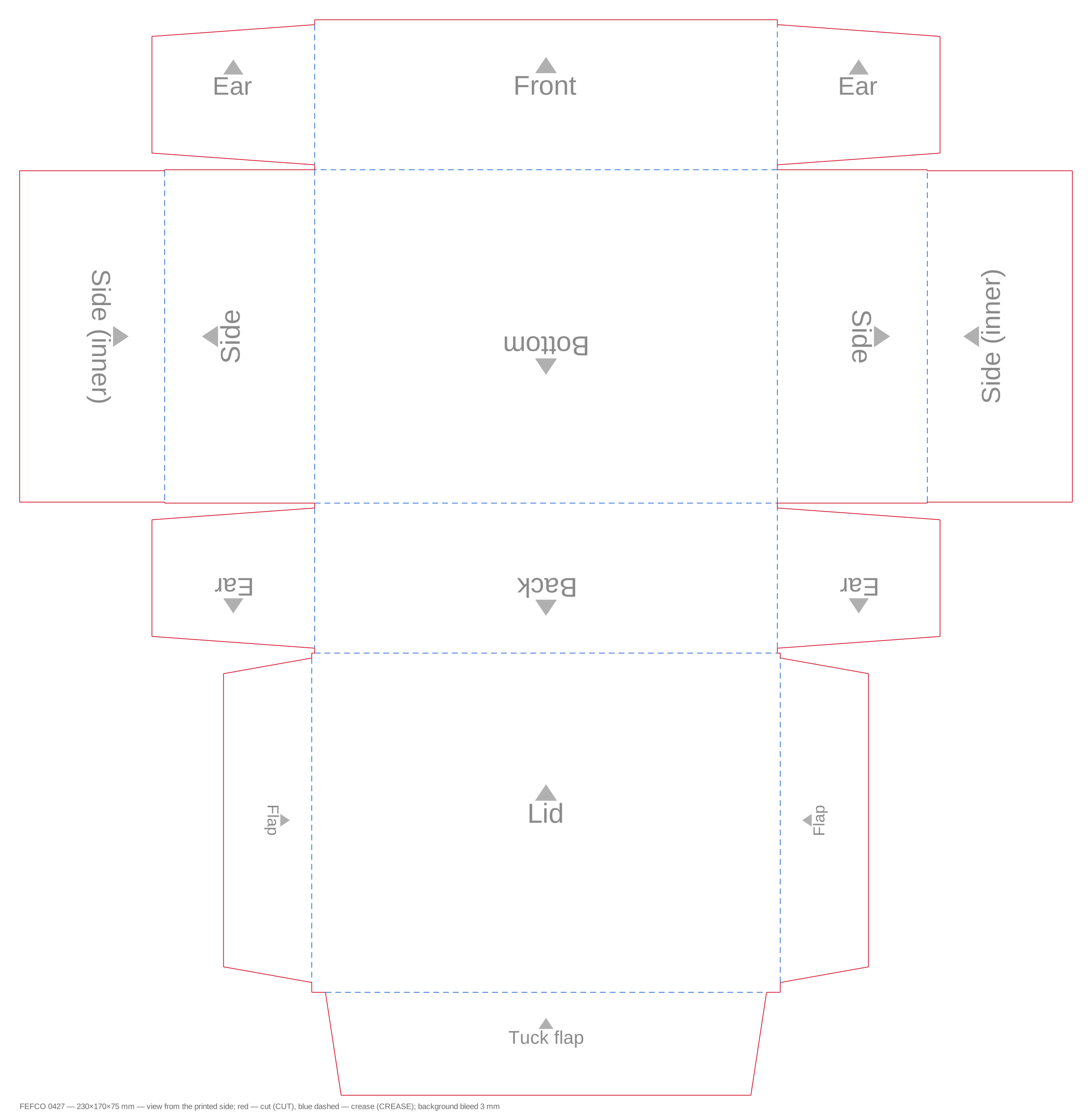
- cut
- crease
Online shops and makers · Poland and the EU
Enter your product's dimensions, pick a FEFCO style and a flute. The configurator sizes the panels for the board thickness and gives you a die-line in SVG/DXF — cut and crease on separate layers — plus a 3D model with AR for your product page.
The configurator is free. Sizes go in millimetres — the inside of the box.
For the printer
Cut (CUT) and crease (CREASE) on separate layers, board thickness already in the net. Your printer or box maker turns it into a cutting die — nothing to draw from scratch.
For the product page
Shoppers spin the box, watch it fold and put it on their own table in augmented reality.
For the quote
Inside, outside and sheet size — calculated by the configurator for the board thickness, not guessed.
The same inside size gives a different net on E-flute and on B-flute. The configurator recalculates the panels and outside size for you. BC is double-wall board — two flutes.
Inside length, width and height in millimetres — 20 to 2000 mm.
F, E, B, C or BC; kraft, white or black, a colour or your own artwork.
Download the SVG/DXF for your printer and copy the 3D code into your shop.
We don’t print or ship boxes — you take the file to the printer or box maker you already work with. The configurator is free.
Online shops · Poland and EU
Product size → FEFCO style → SVG/DXF for your printer and 3D with AR for your shop.
Build a 0427 boxThe configurator is free. Sizes go in millimetres — the inside of the box.
For the printer
Cut (CUT) and crease (CREASE) on separate layers, board thickness already in the net. Your printer or box maker turns it into a cutting die — nothing to draw from scratch.
For the product page
Shoppers spin the box, watch it fold and put it on their own table in augmented reality.
For the quote
Inside, outside and sheet size — calculated by the configurator for the board thickness, not guessed.
The same inside size gives a different net on E-flute and on B-flute. The configurator recalculates the panels and outside size for you. BC is double-wall board — two flutes.
Inside length, width and height in millimetres — 20 to 2000 mm.
F, E, B, C or BC; kraft, white or black, a colour or your own artwork.
Download the SVG/DXF for your printer and copy the 3D code into your shop.
We don’t print or ship boxes — you take the file to the printer or box maker you already work with. The configurator is free.